
Streaming TV subscription · Help on WhatsApp
Boss IPTV: live TV, sports and movies on the screens you already own
Boss IPTV is a streaming TV subscription with national and international channels, live sport, movies and series in one login. It runs on Fire TV, Android TV, Apple TV, Samsung and LG smart TVs, phones and computers. Pick a plan, order on WhatsApp, and a real person helps you get set up.
You chat with a person first. Nothing is charged until you confirm a plan.
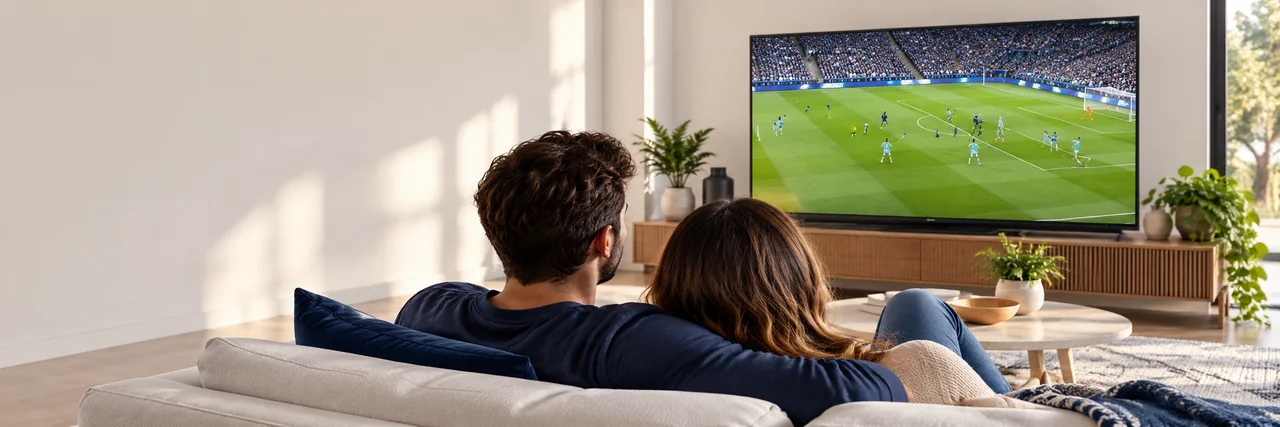
- Boss IPTV
- Your internet
- Player app
- Your TV
- From
- $5.42/mo 12-month plan, $65 total
- Works on
- TVs, sticks, phonesFire TV · Android · Apple TV · Smart TVs
- Support
- Real peopleOn WhatsApp and by email
- Before you pay
- Device checkAsk us, then decide
Identity check
Which Boss IPTV is this?
Search for "boss iptv" and you will find several unrelated sellers using the same name. This Boss IPTV lives at bossiptvhd.com, and we contact customers in only three ways. If a message, ad or website uses our name with different details, ask us before you pay anything.
Website Official
bossiptvhd.com
WhatsApp Official
+212 781 768 546
Email Official
Inside every plan
What a Boss IPTV plan includes
One login opens four kinds of viewing. Here is what each one looks like on screen, and the honest small print that goes with it.
Live channels, organized the way you browse
National and international channels are grouped by country and by category, such as news, entertainment, kids, documentary and music, so you can find what is on without scrolling through endless lists. Player apps with a TV guide show what is on now and next.
- Channels sorted by country and category
- Now-and-next guide in apps that support it
- Favorites lists in most player apps
Line-ups change from time to time. If one channel matters to you, ask us to confirm it before you pay.
How the channel line-up worksLive sport without hunting for streams
Sports channels and event coverage sit in their own categories, from football and basketball to fight nights and motorsport. On game day, a steady connection matters more than anything else, which is why the speed check further down this page is worth a minute.
- Dedicated sports categories
- Start times listed in apps with a TV guide
- Practical tips for big match days
Which competitions you can watch depends on broadcast rights where you live. If you follow a specific league, ask us before you buy.
More about sports channelsMovies and series whenever you want them
Alongside live TV, the on-demand library lets you start a film or an episode whenever you like, pause it and pick it up later. Titles are grouped by genre, and most player apps let you search by name.
- Start, pause and resume any time
- Browse by genre or search by title
- Subtitles and audio options where a title includes them
The library changes over time, so a particular title is never guaranteed.
How the on-demand library worksTV from home, wherever home is
If your family watches TV from more than one country, international channels are grouped by region and language, so everyone can find their own shows on the same plan.
- Channels grouped by region and language
- One plan for the whole household
- A country check before you order
Tell us which countries you need and we will tell you honestly what is available before you order.
English-language TV at home or abroadDevice readiness
Will Boss IPTV work on your TV?
Most likely. If your TV or streaming device can install an IPTV player app, it can run Boss IPTV. Here is the honest picture, device by device.
Amazon Fire TV Stick & Fire TV
ReadyInstall a player app with the free Downloader app, then sign in.
Setup guideAndroid TV, Google TV & Android boxes
ReadyGet a player app from Google Play and enter your login.
Setup guideSamsung, LG & Hisense smart TVs
ReadyUse a player app from the TV's app store. Some apps charge their own small activation fee.
Setup guideApple TV 4K, iPhone & iPad
ReadyDownload a player from the App Store and add your details.
Setup guideRoku, Vizio, games consoles & older TVs
Check firstLimited or no player apps. A low-cost streaming stick plugged into the same TV is usually the better route.
See all devices

Works with the devices most homes already have








Device names and logos are shown only to indicate compatibility. They belong to their owners, who do not sponsor or endorse Boss IPTV. A compatible player app is required; availability can vary by model and region.
Plans & prices
Same service on every plan. Longer terms cost less per month.
Pick how long you want to watch. Every plan includes the same channels, sports, movies and series; the only difference is the term. The 12-month plan works out at $5.42 a month.
Cost per month by plan
USD
-
1 month
Order 1 month (opens WhatsApp in a new tab)$17.00 a month
$17 total · renew when you choose
-
3 months
Order 3 months (opens WhatsApp in a new tab)$11.00 a month
$33 total · $18 less than paying monthly
-
6 months
Order 6 months (opens WhatsApp in a new tab)$7.33 a month
$44 total · $58 less than paying monthly
-
12 months
Lowest monthly costOrder 12 months (opens WhatsApp in a new tab)$5.42 a month
$65 total · $139 less than paying monthly
Prices in USD. If your card is in another currency, your bank converts it at its own rate.
Getting started
From order to first channel in four steps
No technician and no new box. You follow four steps on the device you already have, and we are on WhatsApp if anything looks different from the guide.
Step 1
Choose a plan
Pick 1, 3, 6 or 12 months. Not sure your device will work? Ask for a quick device check first.
Step 2
Order on WhatsApp
Send the prefilled message. We confirm the plan, the price and how to pay before anything is charged.
Step 3
Receive your login
Your login details are sent as soon as your payment is confirmed. They come with setup steps for your device.
Step 4
Install and watch
Add a player app, enter your details and open your first channel. Stuck? Send us a photo of the screen.
Prefer to see every screen first? Open the installation guide
Connection check
Is your internet ready for IPTV?
Live TV needs a steady connection more than a fast one on paper. Choose your picture quality and how many screens watch at once to see the speed to aim for.
16 Mbps
Comfortable steady download speed, measured on the device you watch on, not the speed printed on your internet plan.
| Quality | One screen | Two screens |
|---|---|---|
| HD | 10 Mbps | 20 Mbps |
| Full HD | 16 Mbps | 32 Mbps |
| 4K | 30 Mbps | 60 Mbps |
Four things that matter more than the speed on your bill
- Use a cable if you can. An Ethernet cable, or an Ethernet adapter for a streaming stick, beats Wi-Fi for live sport.
- On Wi-Fi, choose 5 GHz. Keep the router in the same room as the TV, or one wall away.
- Test on the TV itself. A speed test on your phone does not tell you what the TV receives.
- Restart now and then. Turning the router and streaming device off and on again clears many slowdowns.

Support desk
Help from real people, on the app you already use
Every Boss IPTV customer gets help on WhatsApp, from the first setup to the occasional "it worked yesterday" moment. Send a message and a member of the team replies.
Send us these three things for the fastest fix
- Your device and model, for example Fire TV Stick 4K
- What you see on screen; a photo is perfect
- What you were trying to watch when it happened
- You message us
- We reply with steps for your device
- Fixed, or we check our side and keep you updated
Message us whenever suits you; a member of the team replies as soon as they are available.
Before you pay
Know where you stand before you spend a dollar
Four short pages answer the questions people tend to ask right before ordering.
Free trial
Free trials are arranged on WhatsApp; we tell you the test period before it starts.
How trials workRefund policy
Our refund policy explains when a refund applies; ask us before you pay if anything is unclear.
Read the policySecure payment
We never ask for card details in a chat, or for passwords and one-time codes.
How paying worksRight to cancel
No contract. When your plan ends, you choose whether to renew.
Your options
Help desk
Boss IPTV questions, answered
Pick a question. Still unsure? A two-minute WhatsApp chat usually settles it.
What is Boss IPTV?
Boss IPTV is a streaming TV subscription. Instead of a cable box or a satellite dish, live channels, sports, movies and series reach your TV over your internet connection, through a player app on a device you already own. Orders and support are handled by a real person on WhatsApp.
How much does Boss IPTV cost?
There are four plans: 1 month for $17, 3 months for $33, 6 months for $44 and 12 months for $65. Every plan includes the same service; longer terms simply cost less per month, down to $5.42 a month. Prices are in USD.
How do I order?
Tap any Order button on this site. WhatsApp opens with a message that already names your plan; add your device and send it. We confirm the plan, the price and the payment options, and you only pay once you are happy.
How soon can I start watching?
Your login details are sent as soon as your payment is confirmed. Installing a player app and signing in is a short job, and the setup guide for your device shows every step.
Which devices work with Boss IPTV?
Amazon Fire TV and Fire TV Stick, Android TV and Google TV devices, Android boxes, Apple TV 4K, iPhone, iPad, many Samsung, LG and Hisense smart TVs, Android phones and Windows or Mac computers. Roku, Vizio and games consoles have limited app support, so ask us first if that is what you have.
Is there a contract, or does it renew automatically?
There is no contract. You pay for the term you choose, and when it ends you decide whether to renew by messaging us.
Can I try Boss IPTV before paying?
Free trials are arranged on WhatsApp; we tell you the test period before it starts. Testing on the TV and internet connection you will actually use is the best way to know it suits you.
What internet speed do I need?
For one screen, aim for a steady 10 Mbps for HD, 16 Mbps for Full HD and 30 Mbps for 4K, measured on the device you watch on. Add the same again for each extra screen watching at the same time. A wired connection helps more than a faster plan.
Is bossiptvhd.com connected to other sites called Boss IPTV?
No. Several unrelated sellers use the name. We only sell through bossiptvhd.com, WhatsApp +212 781 768 546 and [email protected]. If anyone else uses our name, check with us before paying.
What if a channel stops working?
Message us on WhatsApp with the channel name and a photo of the screen. Often the fix is as simple as refreshing the playlist in your player app or restarting the device. If the problem is on our side, we tell you what is happening and keep you updated.
Guides
Learn the setup before you buy
Practical guides for real living rooms: devices, connections and the settings that make a difference.
-
Installation guide
Device-by-device setup steps, from installing a player to your first channel.
-
Compatible devices
Which TVs, sticks, boxes, phones and computers work, and which to check first.
Ready when you are
Your TV, your call.
Pick a plan, ask a question first, or follow the setup guide on your own. Whichever you choose, a real person is one message away.
+212 781 768 546 [email protected]
- Order on WhatsApp Tell us your plan and device. We confirm the price before you pay. (opens WhatsApp in a new tab)
- Ask a question first Device check, a channel you care about, payment: ask anything. (opens WhatsApp in a new tab)
- Read the setup guide See exactly what installing looks like on your device.